How To Program A BMW Key: Your Complete DIY Guide
Losing or replacing your BMW key fob can be incredibly frustrating—and expensive if you rely solely on the dealership. Fortunately, if your key just stopped locking or unlocking the doors, you might only need a simple synchronization process. However, if you have a brand-new, unprogrammed key, the process gets a bit more technical.
This comprehensive guide will walk you through exactly how to program a BMW key, distinguishing between simple remote function syncing and the complex immobilizer chip programming. Ready to save yourself time and money? Let's dive in!
Understanding BMW Key Programming Basics
Before attempting any programming, it's vital to understand that a modern BMW key fob typically handles two separate functions. Each function requires a different programming method.
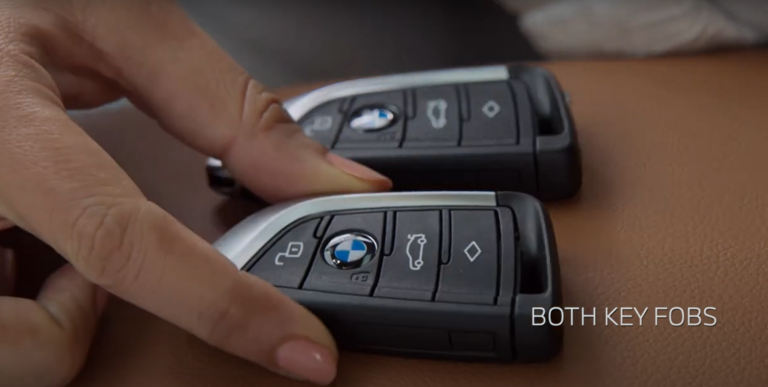
- Remote Control Functions (Comfort Access): This controls locking, unlocking, and trunk release. This programming is often called "synchronization" and can usually be done manually by the user.
- Immobilizer/Transponder Chip (EWS/CAS/FEM/BDC): This is the crucial chip that allows the car to start the engine. Because this relates directly to anti-theft security, true immobilizer programming almost always requires specialized software or dealer-level tools.
If your old key starts the car but doesn't lock the doors, you likely only need the simple synchronization method outlined below. If you have a completely new, blank key, you will need the advanced immobilizer programming.
Why Does My BMW Key Need Programming?
Keys lose their programming for several reasons. The most common cause is simply a dead or low battery, which can sometimes desynchronize the remote function. Alternatively, if the key was left unused for a long period, it might drop its synchronization with the vehicle's receiver.
If you've recently replaced the key battery, and the key still won't lock or unlock the car, synchronization is definitely the next step.
Key Types and Compatibility (E-series vs. F/G-series)
The year and model of your BMW significantly impact the ease of programming. Older BMWs (E-series models like E46, E39, E60) rely on the EWS (Electronic Immobilizer System) and are generally easier to program using aftermarket tools or the manual synchronization trick.
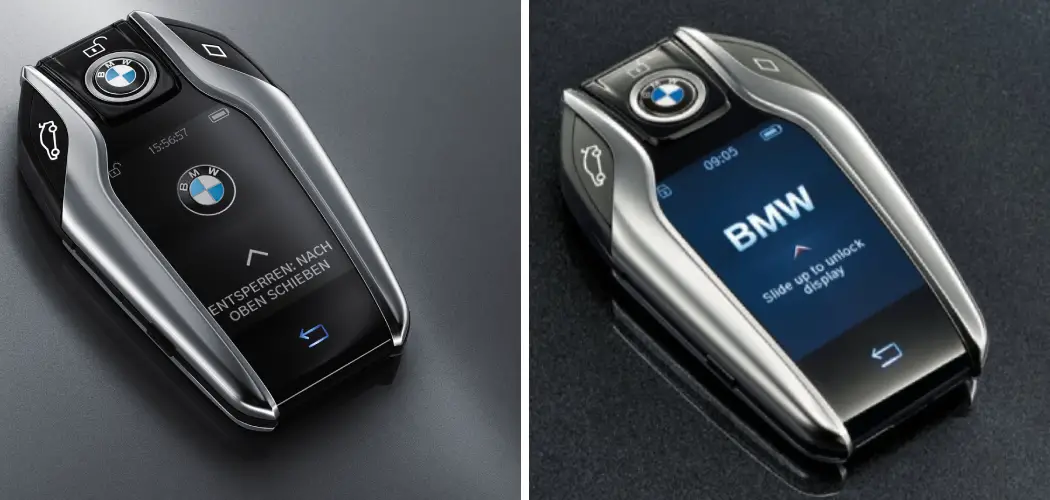
Newer BMWs (F and G-series, generally post-2008) use CAS (Car Access System), FEM (Front Electronic Module), or BDC (Body Domain Controller) systems. These modules are highly secure and typically require advanced diagnostic software (like ISTA-D/P or specialized locksmith tools) to write new key data.
DIY Method 1: Remote Synchronization (The Easy Fix)
This method works primarily for E-series BMWs (especially E46, E39, E53, E38) and addresses keys that still start the engine but have lost their remote locking functions. You will need one already working key (if available) and the key you wish to program.
Step-by-Step Guide for Manual Key Synchronization
Follow these steps exactly. Timing is crucial for success.
- Enter the Vehicle: Sit in the driver's seat and close all doors.
- Cycle the Ignition: Insert the working key (or the key you are programming) into the ignition. Turn the key quickly to Position 1 (Accessory, where the dash lights come on but the engine is off) and then back to Position 0. Do this five times within five seconds.
- Remove the Key: Pull the key out of the ignition barrel.
- Press the Unlock Button: Press and hold the Unlock button on the key fob.
- Press the Lock Button: While still holding the Unlock button, quickly press the Lock (BMW logo) button three times.
- Release Both Buttons: Release the Unlock button. Your doors should immediately lock and unlock (or cycle the central locking) to indicate successful programming.
- Program Additional Keys (If Necessary): If you have another key to program, repeat steps 4 through 6 immediately after the first key programs successfully, without cycling the ignition again.
If this process fails, repeat it. If it fails repeatedly, your car may require specialized software, or the key battery/circuitry may be faulty.
DIY Method 2: Transponder Chip (Immobilizer) Programming
If you purchased a blank key and your goal is for that key to actually start the car, manual synchronization won't cut it. The car's Electronic Control Unit (ECU) must be told to accept the new key's unique transponder code.
This process is significantly more complicated than remote syncing because it involves manipulating the vehicle's anti-theft system files (often located in the CAS or FEM module).
When Do You Need Specialized Tools?
You need specialized tools if:
- You have a completely new, blank key that needs to start the car.
- Your key is physically damaged, requiring a new transponder chip.
- The previous owner never gave you a master key, and you need to erase old keys from the system.
For most modern BMWs, this means using PC software connected via an OBD-II cable, such as the standard K+DCAN cable, alongside specialized software.
Choosing the Right Programming Tool
If you are determined to perform the full immobilizer programming yourself, you must be comfortable working with complex software and handling potential data risks. Here are the common tools used to program a BMW key fully:
- NCS Expert/INPA: Older software suites often used for E-series vehicles to code modules and sometimes address key data, though typically locksmith tools are safer for key writing.
- ISTA (Rheingold): BMW's official diagnostic software. This can often program new keys if you have the proper security certificate access, but it's usually complex for DIY users.
- Specialized Key Programmers (e.g., VVDI 2, Autel IM608): These third-party tools are what professional automotive locksmiths use. They allow reading the key data (dumps) from the CAS/FEM module and writing the transponder data onto the new key blank. These are highly effective but come at a high cost.
Warning: Attempting immobilizer programming without proper knowledge can permanently damage your CAS or FEM module, rendering your vehicle undrivable.
When to Call the Experts (Dealer vs. Locksmith)
If the simple synchronization method doesn't work, or if you need a completely new key programmed from scratch, it's often best to outsource the job. You have two main options:
The BMW Dealership
The dealership guarantees that the key will work, as they have direct access to BMW's secure databases and programming tools. However, they are usually the most expensive route. They often require the vehicle registration, proof of ownership, and several days to order and program the key.
Certified Automotive Locksmiths
Automotive locksmiths specializing in German cars are typically the sweet spot. They possess the same high-end tools as the dealer (or better, for key cutting and programming) but charge significantly less. Crucially, they can often program the key on-site, saving you the hassle of towing the car if you've lost all keys.
When selecting a locksmith, always verify their experience with the specific immobilizer system (CAS, FEM, BDC) in your BMW model.
Conclusion
Knowing how to program a BMW key depends entirely on what needs programming. If it's just the remote locking functions, a simple manual synchronization can save the day for older models. However, if you need a brand-new key to start your car, that requires full transponder coding against the vehicle's immobilizer system.
While deep immobilizer programming is possible for advanced DIY enthusiasts with specialized tools, for most BMW owners, calling a reputable automotive locksmith is the safest, most efficient, and most cost-effective solution to get your new key programmed correctly without risking damage to your vehicle's security modules. Always prioritize security and accuracy when dealing with your BMW's electronics.
Frequently Asked Questions (FAQ)
- Can I program a used BMW key to my car?
- Generally, no, if the key was previously programmed to another BMW. The key's transponder chip (specifically for CAS/FEM/BDC systems) is often "locked" to the first VIN it was paired with. You must use a brand-new, blank key, or have the chip specifically "unlocked" or replaced by a specialist, which can be complex.
- How much does it cost to program a BMW key?
- Costs vary widely. Dealer programming (including the key blank) typically ranges from $350 to $700+. A skilled automotive locksmith can usually program a key you provide for $150 to $300, depending on the complexity of your vehicle's security system.
- Does replacing the battery in my key require programming?
- Replacing the battery itself usually doesn't erase the programming. However, if the battery dies completely, the remote function may lose synchronization. If this happens, you just need to perform the simple manual synchronization steps (Method 1).
- What is the difference between synchronization and coding?
- Synchronization (sync) reconnects the key's remote function (lock/unlock) to the car's receiver. Coding (or programming) writes the unique security data (transponder code) into the key and the car's immobilizer module, allowing the engine to start. Sync is easy; coding is difficult.
- Will my car start if I only program the remote function?
- If you only program the remote function (synchronization), the car will only start if the key previously had its transponder chip programmed to your vehicle. If it's a completely new key, synchronization only allows remote locking/unlocking—the engine immobilizer will prevent the car from starting.
How To Program A Bmw Key
How To Program A Bmw Key Wallpapers
Collection of how to program a bmw key wallpapers for your desktop and mobile devices.

Exquisite How To Program A Bmw Key View for Mobile
Find inspiration with this unique how to program a bmw key illustration, crafted to provide a fresh look for your background.

Spectacular How To Program A Bmw Key Design Art
A captivating how to program a bmw key scene that brings tranquility and beauty to any device.

Mesmerizing How To Program A Bmw Key Image Illustration
Explore this high-quality how to program a bmw key image, perfect for enhancing your desktop or mobile wallpaper.

Amazing How To Program A Bmw Key Artwork Concept
Transform your screen with this vivid how to program a bmw key artwork, a true masterpiece of digital design.

Dynamic How To Program A Bmw Key Moment Concept
A captivating how to program a bmw key scene that brings tranquility and beauty to any device.

Detailed How To Program A Bmw Key Background Collection
Experience the crisp clarity of this stunning how to program a bmw key image, available in high resolution for all your screens.

Mesmerizing How To Program A Bmw Key Picture Collection
Explore this high-quality how to program a bmw key image, perfect for enhancing your desktop or mobile wallpaper.
Amazing How To Program A Bmw Key Moment Nature
Explore this high-quality how to program a bmw key image, perfect for enhancing your desktop or mobile wallpaper.
Crisp How To Program A Bmw Key Design Concept
A captivating how to program a bmw key scene that brings tranquility and beauty to any device.

Detailed How To Program A Bmw Key Landscape in HD
Discover an amazing how to program a bmw key background image, ideal for personalizing your devices with vibrant colors and intricate designs.
Beautiful How To Program A Bmw Key Photo in HD
Transform your screen with this vivid how to program a bmw key artwork, a true masterpiece of digital design.
Dynamic How To Program A Bmw Key Artwork in HD
Find inspiration with this unique how to program a bmw key illustration, crafted to provide a fresh look for your background.

Exquisite How To Program A Bmw Key Artwork Art
A captivating how to program a bmw key scene that brings tranquility and beauty to any device.

Dynamic How To Program A Bmw Key Landscape in 4K
A captivating how to program a bmw key scene that brings tranquility and beauty to any device.

Crisp How To Program A Bmw Key Moment Concept
Immerse yourself in the stunning details of this beautiful how to program a bmw key wallpaper, designed for a captivating visual experience.

Exquisite How To Program A Bmw Key Landscape Photography
A captivating how to program a bmw key scene that brings tranquility and beauty to any device.

Breathtaking How To Program A Bmw Key Artwork for Mobile
Transform your screen with this vivid how to program a bmw key artwork, a true masterpiece of digital design.

Crisp How To Program A Bmw Key Capture Photography
This gorgeous how to program a bmw key photo offers a breathtaking view, making it a perfect choice for your next wallpaper.

Gorgeous How To Program A Bmw Key Wallpaper Art
This gorgeous how to program a bmw key photo offers a breathtaking view, making it a perfect choice for your next wallpaper.
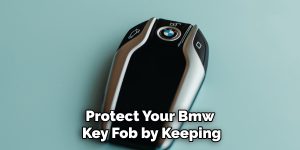
Crisp How To Program A Bmw Key Picture for Your Screen
Immerse yourself in the stunning details of this beautiful how to program a bmw key wallpaper, designed for a captivating visual experience.
Download these how to program a bmw key wallpapers for free and use them on your desktop or mobile devices.